
ADOm8 Setup Guide
Work through 9 steps at your own pace. Mark each one done as you go — your progress is saved in this session.
1 of 95 min
Prerequisites
Install five tools and confirm Azure + ADO access
Install all five tools before you begin — each is needed at a different step and skipping any will block progress later.
| Tool | Verify with | Min version | Download |
|---|---|---|---|
| Azure CLI | az --version | latest | Install guide |
| .NET SDK | dotnet --version | 8.x | Download .NET 8 |
| Azure Functions Core Tools | func --version | 4.x | Install guide |
| Terraform | terraform --version | ≥ 1.0 | Download Terraform |
| Git | git --version | latest | Download Git |
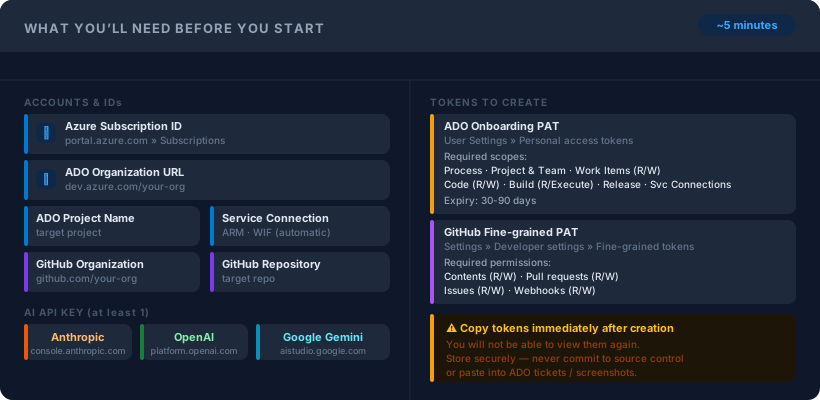
Accounts needed
Azure subscription with Contributor rights on the target resource group.
Azure DevOps organization + project. You must be a Project Administrator.
AI provider API key — Anthropic (Claude), OpenAI, or Azure OpenAI all work.
Then clone the repo
💡After cloning, keep the repo root open in your terminal for the remaining steps.
Commands / Snippets
git clone https://github.com/toddpick/adom8.gitaz logindotnet --version # expect 8.xfunc --version # expect 4.xterraform --version